
Download Statusbar – Firefox Download Manager, File Tracking, Browser Utility
Overview
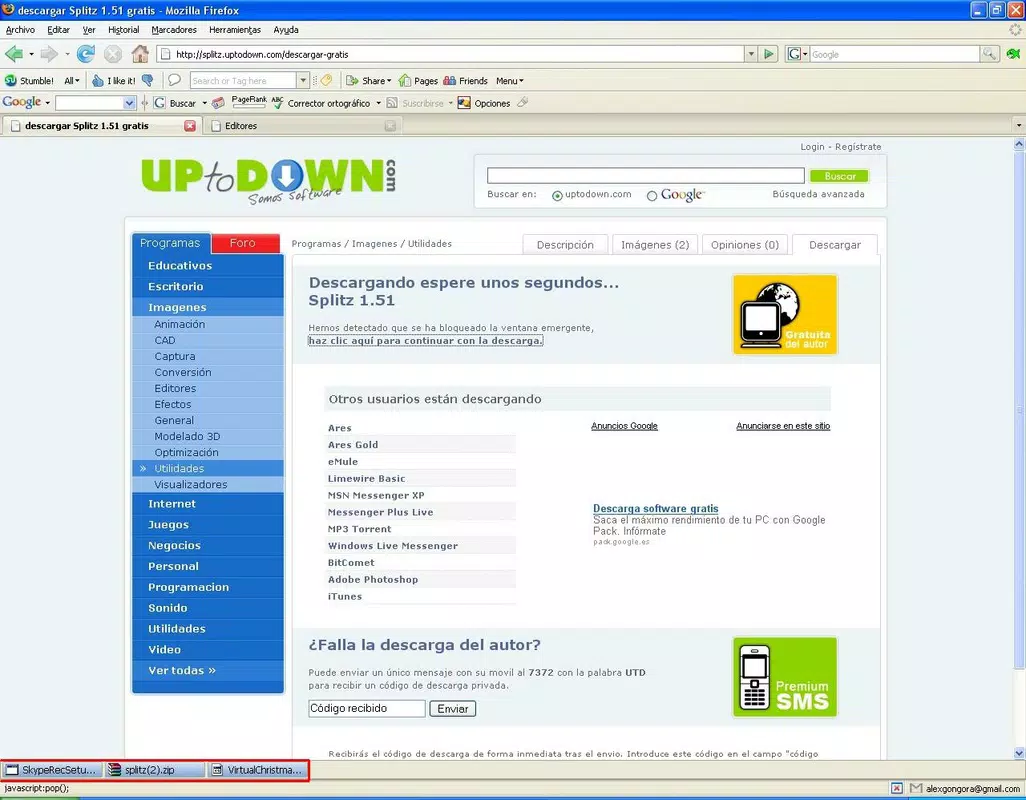
Download Statusbar is a practical browser extension designed for Mozilla Firefox, offering a streamlined approach to managing downloads directly within the browser's status bar. Unlike Firefox’s default behavior, which opens a separate download window, this tool integrates download monitoring into the existing interface, reducing distractions and improving workflow efficiency. It is particularly useful for users who frequently download files and want real-time visibility without switching contexts. The app solves the common frustration of losing track of downloads when multiple windows are open or when the download manager window is accidentally closed. By displaying active downloads in the status bar, it ensures users maintain awareness of ongoing transfers without disrupting their browsing session.
Target users include power users, researchers, students, and professionals who rely on consistent file retrieval and management. The extension supports continuity by preserving download history across sessions, which is beneficial for those working with large files or unstable internet connections. The ability to resume interrupted downloads enhances reliability, making it a valuable tool for users in low-bandwidth environments or those with intermittent connectivity. While the developer did not provide additional technical details about the extension’s architecture or backend processes, its core functionality aligns with Firefox’s extension ecosystem standards. The tool contributes to a more cohesive and efficient browsing experience, emphasizing usability and persistence in a widely used open-source browser.
Key Features & Functionality
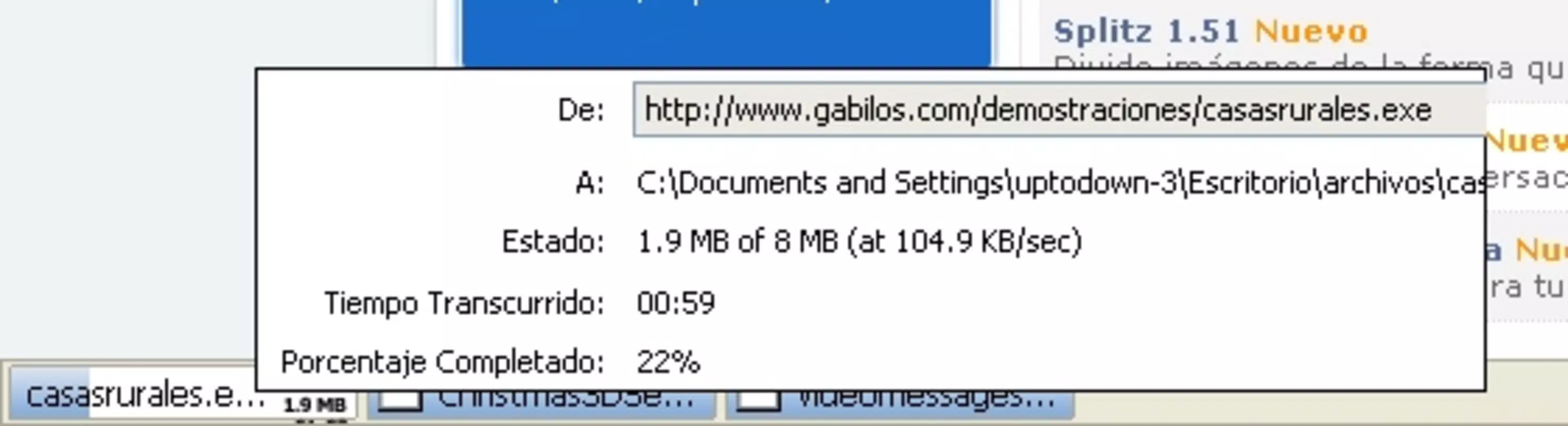
- Integrated Download Monitoring: Download Statusbar displays active downloads directly in Firefox’s status bar, eliminating the need for a separate download window. This allows users to monitor file progress without switching focus, improving multitasking efficiency.
- Hidden When Not In Use: The status bar remains invisible when no downloads are active, preserving a clean and minimal interface. It only appears when needed, reducing visual clutter and maintaining a distraction-free browsing environment.
- Queue Management System: Download information is saved in a persistent queue, enabling users to resume interrupted downloads upon reopening Firefox. This feature is especially useful for long downloads affected by network instability or unexpected browser closures.
- One-Click Actions: Users can stop, resume, or open downloaded files with a single click, simplifying download management and reducing the number of steps required to access completed files.
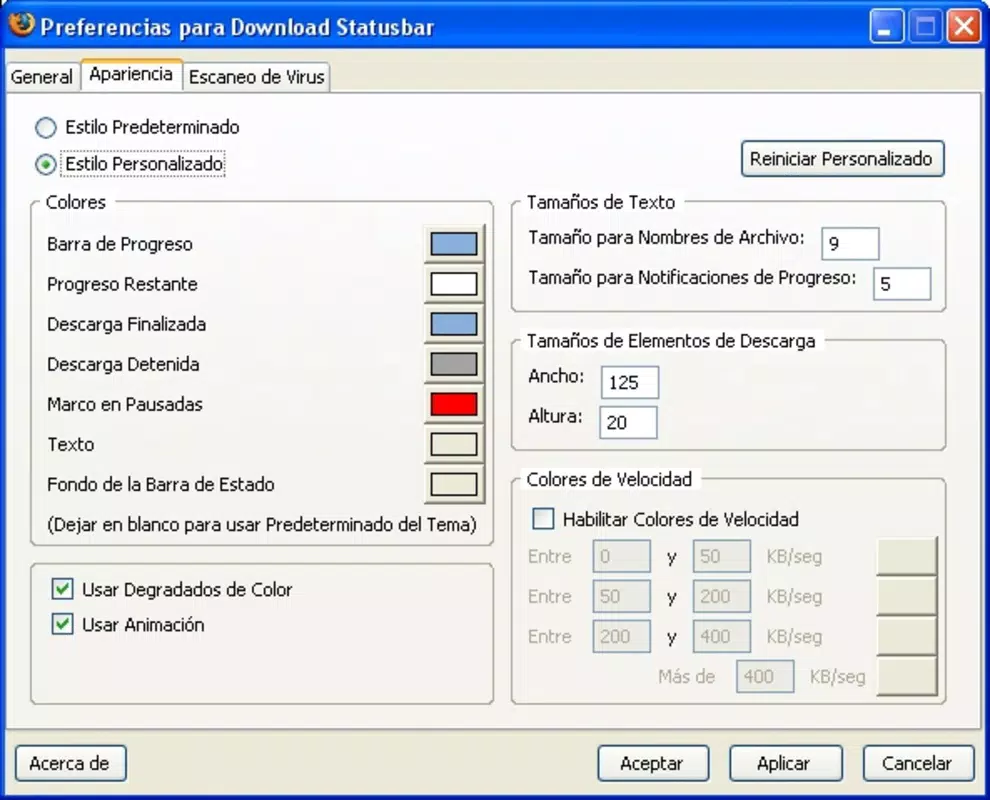
- External Antivirus Integration: The extension supports integration with an external antivirus tool, allowing automatic scanning of downloaded files. This adds a layer of security, helping users verify file safety before opening potentially risky content.
These features collectively enhance the user experience by combining visibility, persistence, and security. For example, a student downloading research papers can monitor progress without losing focus on their work. A professional downloading project files can resume a failed transfer later without starting over. The integration with antivirus tools also benefits users concerned about malware, especially when downloading from less-trusted sources.
Interface, UX & Performance
The interface of Download Statusbar is designed with simplicity and minimalism in mind. It leverages Firefox’s native status bar as a display layer, ensuring consistency with the browser’s overall visual language. The UI does not introduce new windows or complex menus, relying instead on subtle indicators and accessible click points. Navigation is intuitive: users simply click on the status bar icon to view active downloads and perform actions like pause, resume, or open.
Performance is optimized for lightweight operation. The extension does not appear to consume significant system resources, which is critical for maintaining browser responsiveness. Although the developer did not list formal performance metrics, its lightweight nature suggests it runs efficiently on a range of devices, including those with limited processing power or memory. Responsiveness is maintained across different screen sizes and window configurations, ensuring a consistent experience whether using a desktop or laptop.
Stability appears to be a strong point, as the extension retains download states across sessions. This persistence reduces user frustration and supports reliable workflows. The lack of visible crashes or errors in the provided information indicates a mature implementation. However, specific compatibility details with newer Firefox versions were not disclosed, so users should ensure their browser is up to date for optimal functionality.
Platform Compatibility & Technical Requirements
Download Statusbar is designed exclusively for Mozilla Firefox, making it compatible with desktop environments on Windows, macOS, and Linux. The developer did not specify minimum OS requirements or exact file size. Similarly, no version-specific compatibility details were provided beyond the release date of September 17, 2010. This suggests the extension may have been developed during an earlier phase of Firefox’s extension ecosystem, and its long-term support status is unclear.
Users should be aware that Firefox has undergone significant changes since 2010, including the transition from legacy extensions to WebExtensions. As such, the compatibility of Download Statusbar with modern Firefox versions depends on whether it has been updated to meet current standards. The absence of recent updates or version numbers raises questions about its current functionality and security posture. However, if it remains functional, it continues to serve as a niche utility for users who prefer a minimal, status-bar-based download experience.
Pros and Cons
- Minimalist design that integrates seamlessly with Firefox’s interface
- Real-time download monitoring without external windows
- Persistent download queue across sessions
- One-click control for pause, resume, and open actions
- Support for external antivirus integration for enhanced security
- Release date indicates it may not be updated for modern Firefox versions
- No official version or size information provided
- Compatibility with current Firefox releases is uncertain
- Limited to desktop Firefox; no mobile or alternative browser support
- Developer did not disclose technical specifications or update history
FAQ
Is Download Statusbar safe to install?
The extension is designed to enhance Firefox’s download experience and does not appear to collect user data. However, since it has not been updated since 2010, users should verify its compatibility and security with current Firefox versions before installation.
Can I use Download Statusbar on mobile browsers?
No. The extension is designed exclusively for desktop versions of Mozilla Firefox and is not available for mobile platforms such as Android or iOS.
Does Download Statusbar support multiple downloads?
Yes. The extension monitors multiple downloads simultaneously and displays them in the status bar, allowing users to track progress on several files at once.
How do I enable external antivirus scanning?
The extension allows users to configure an external antivirus tool. Specific setup steps are not detailed in the provided information, but users can typically define the antivirus path in Firefox’s extension settings or preferences.
Will my downloads be saved if Firefox crashes?
Yes. The queue management system preserves download states across sessions, meaning interrupted downloads can be resumed after Firefox restarts, provided the extension remains functional.
Final Thoughts
Download Statusbar remains a niche yet functional tool for Firefox users seeking a streamlined, low-impact approach to download management. Its minimalist design, persistent queue, and one-click controls offer tangible benefits for those who value efficiency and continuity. While its age raises concerns about compatibility with modern Firefox versions, it still represents a practical solution for users who prefer a clean, integrated experience over pop-up windows.
For long-time Firefox users who appreciate legacy utilities and are comfortable managing extension compatibility, Download Statusbar may still be a valuable addition. It fills a specific need in the browser ecosystem: reducing friction during file downloads without adding complexity.
Download Statusbar now


